只需一个DNS就能实时查看家中所有设备的上网记录
DiebugI see a live log of every website every device in my house has tried to connect to — with just a DNS
来源: makeuseof | 原文链接: https://www.makeuseof.com/keep-browsing-log-of-every-device-with-nextdns/

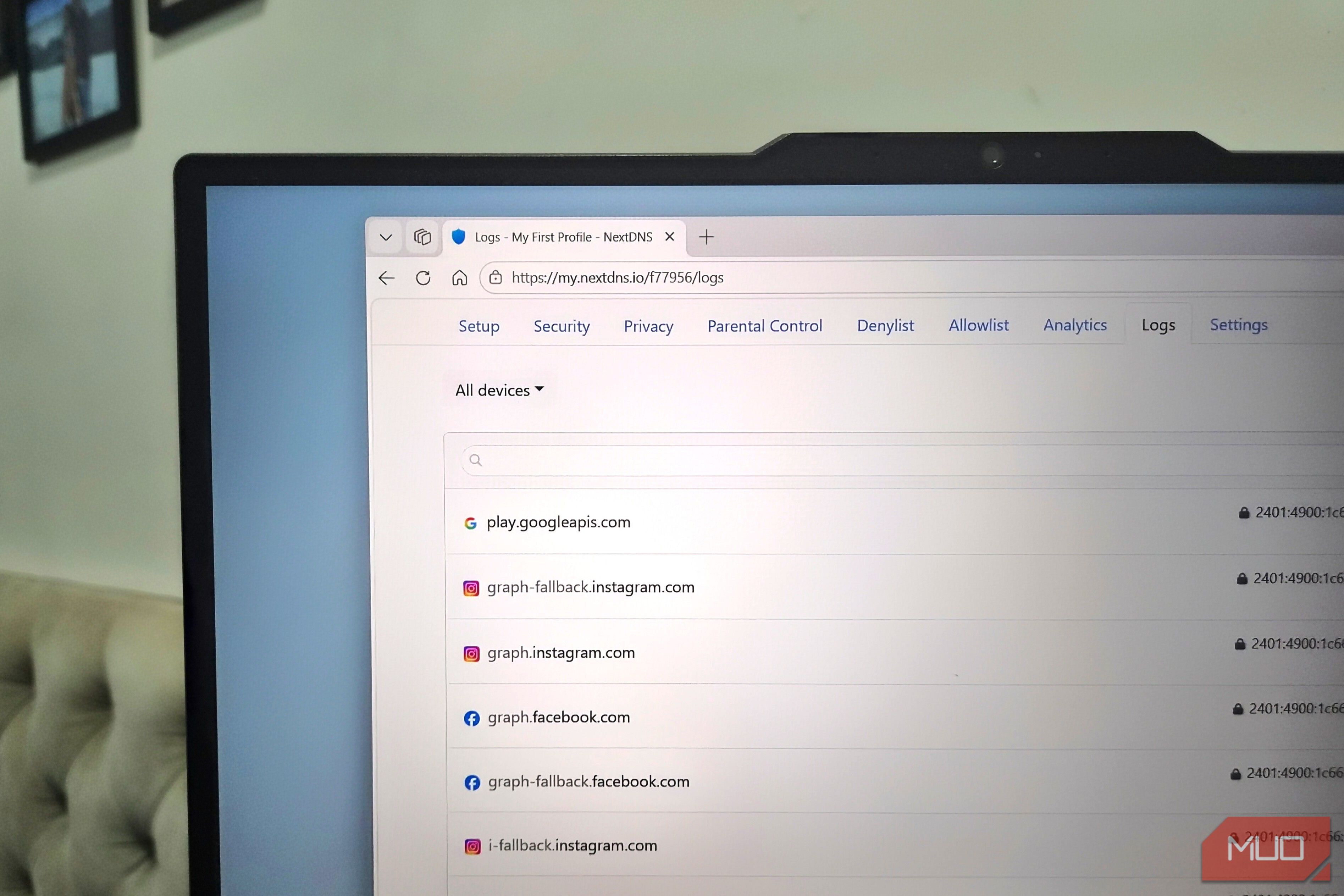
I see a live log of every website every device in my house has tried to connect to — with just a DNS Pankil Shah / MakeUseOf Credit: Pankil Shah / MakeUseOf By Pankil Shah Published Aug 19, 2026, 11:00 AM EDT Pankil is a Civil Engineer turned freelance writer from Ahmedabad, India. As a long-time Windows and Android user, he has extensive knowledge of both operating systems and specializes in creating how-tos and troubleshooting guides. Pankil has been writing about Windows, Android, and iOS since 2021. He has written over 1200 articles across reputable publications like MakeUseOf, GuidingTech, and TechWiser. Outside of his writing endeavors, Pankil is an avid football fan and loves to plan his international travels with his wife in his free time. Sign in to your MakeUseOf account Add Us Add on Google Preferred Source Google News Like Like follow Follow followed Followed Thread Log in Here is a fact-based summary of the story contents: Try something different: Show me the facts Explain it like I’m 5 Give me a lighthearted recap Most people typically only switch DNS for faster browsing, better privacy, ad blocking, or more security. I also switched to NextDNS initially for these things, and they’re all great. What I didn’t expect was getting hooked on a logs tab that shows me a live feed of everything happening on my home network. Every domain, every device, every background request my apps make when I’m not looking, these logs reveal it all. Related I didn’t know my ISP could see every website I visit until I checked this setting Your ISP sees more than you think. Posts 5 By Tashreef Shareef ## NextDNS shows me everything my devices connect to ### Nothing goes unnoticed Screenshot by Pankil Shah – No attribution required The obvious benefit of setting up a cloud-based DNS resolver like NextDNS is privacy. Instead of your ISP converting website names into IP addresses, NextDNS does it. That sounds like a simple swap, but it helps with a lot of other things like ad blocking, malware protection, and faster resolving. To be fair, this is true for almost every good DNS service, not just NextDNS. Where NextDNS wins for me is everything else it offers, especially the logs. I can check my NextDNS account on the web or on the phone to see a live feed of every single domain any device in my house has tried to reach. Of course, this is only possible if you’ve set up NextDNS on each of those devices, or at the router level. Once you have, you can head to the Logs tab any time to see what’s going on. Each entry tells you the domain, the device name, and when exactly it happened. If you use the same profile across multiple devices, you can assign tags to each one. It even lets you filter browsing history by a specific device. The use cases are pretty obvious here. If you’re a parent, you can see exactly what your kids are trying to reach. And from the same Logs tab, you can even block specific domains using the three-dot menu. ## Logs are useful even
翻译提示
本文已自动抓取,建议人工润色后发布。